 CardRecovery
CardRecovery Help -
Photo Recovery Complete
CardRecovery - Photo Recovery - Complete
After previewing the recovered photos, you may click "Next" to complete the recovery (full/registered version user)
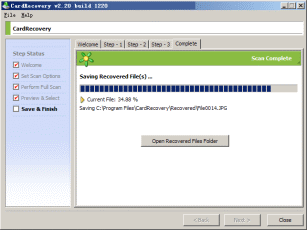
CardRecovery will save all the selected photos to the destination folder you specified in step 1. After the saving is completed, you may click "Open Recovered Files Folder" button to view and access them. The whole recovery process is finished.
Support: /support/
Website: http://www.cardrecovery.com
(C)Copyrights 2004-2005, WinRecovery Software. All rights are reserved.