|
|
 SD Card Recovery - Tutorial SD Card Recovery - Tutorial |
| |
Recover Pictures from SD Card Using CardRecovery
A SD Card (Secure Digital) is a flash memory card widely used by digital cameras or smartphones. The capacities are from 256 MB, 512 MB, 1 GB, 2 GB, 4 GB to 128 GB, and types include the SD memory card, SDHC, SDXC, miniSD and microSD. The SD Card was developed by SanDisk, Toshiba and Panasonic. The SD Card is compact and slim but handles high volume content.
 CardRecovery is a popular SD Card Recovery software to recover deleted, formatted, corrupted or lost pictures, images and photos from the SD Card. It has a wizard-style interface and allows you to easily recover files from the SD memory card. It supports all brands including SanDisk, Kingston, Toshiba, Lexar, Transcend, PQI and more. CardRecovery is a popular SD Card Recovery software to recover deleted, formatted, corrupted or lost pictures, images and photos from the SD Card. It has a wizard-style interface and allows you to easily recover files from the SD memory card. It supports all brands including SanDisk, Kingston, Toshiba, Lexar, Transcend, PQI and more.
You may download the CardRecovery from the following link:
https://www.cardrecovery.com/download.asp
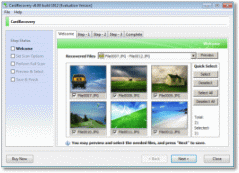 It's a small download and you may get it in less than two minutes.
Run the downloaded executable file and follow the instructions to install it on your computer. Then launch it. It has a wizard-style interface and it's very easy to use. Usually, in less than 10 minutes, you will get back those lost pictures from the SD Card using the software. It's a small download and you may get it in less than two minutes.
Run the downloaded executable file and follow the instructions to install it on your computer. Then launch it. It has a wizard-style interface and it's very easy to use. Usually, in less than 10 minutes, you will get back those lost pictures from the SD Card using the software.
The files and data on the SD Card are generally not fully erased by the camera or mobile phone when you inadvertently press the Delete or Format button from the camera menu. This data recovery software helps you undelete photos, or recover files from reformatted SD card. You may put the card in the card reader, enter some simple info on Step 1 of CardRecovery, and after you click Next button you will see your precious photos flying up on the recovered files list. It is safe to use. The recovered pictures will be saved to a new folder on your hard drive. Before saving, CardRecovery will preview them in thumbnail image for you selection and confirmation. With the help of CardRecovery, you are able to retrieve the photos that you thought have lost forever and get back the memories that you will always cherish.
To avoid possible overwriting, be sure not to put any additional pictures on the same memory card before you recover them. But if you have done that, try CardRecovery and it may still be able to recover the remaining pictures in most cases, but the pictures that were written over are unrecoverable.
If your camera does not appear as a drive letter in "My Computer" after it is connected, a USB SD card reader may be needed to allow picture recovery software like CardRecovery to access and recover your card. Such a card reader is very useful and it allows you to access the pictures on the SD Card using your computer. Some newer computers have this type of card reader already built-in. You may find many by searching for the SD card reader in Amazon, or BestBuy.
Related Articles regarding SD Card Recovery
SD Card Recovery Instructions - Situations that CardRecovery can help.
About SD Card | SD Card List Supported by CardRecovery
Recover High Capacity SD Card
SD Card Data Recovery
Recover SD Card Deleted Photos
Recover Formatted SD Card
More Articles about SD Card Recovery
|
|
|








