| |
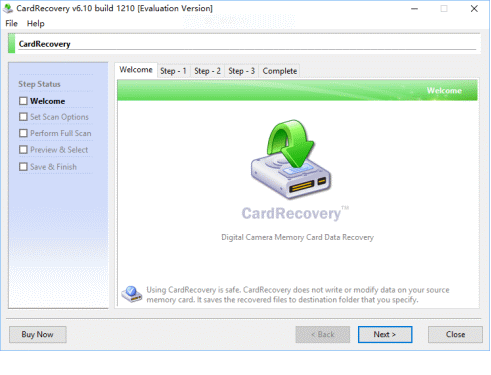
 Welcome - CardRecovery has a friendly user interface. It's very easy to use. Welcome - CardRecovery has a friendly user interface. It's very easy to use.
|
|
| |
|
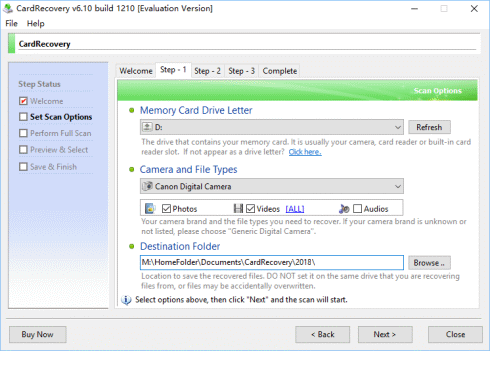
Step 1 - Users select the drive letter, camera type and destination folder to save the recovered files.
|
|
| |
|
Step 2 - CardRecovery fully scans your memory card. The scan process is very fast and takes ~20 minutes to fully scan a 64 GB SanDisk SD Card in our test.
|

|
| |
|
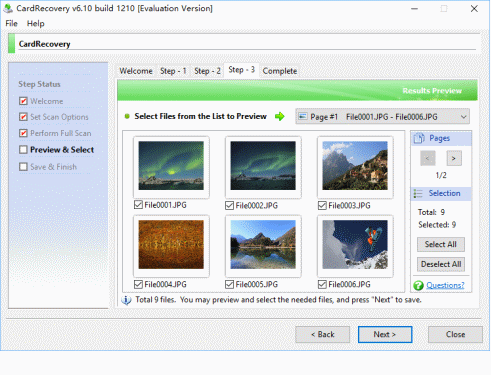
Step 3 - CardRecovery allows you to preview and select the needed photos before saving.
|
|
| |
|
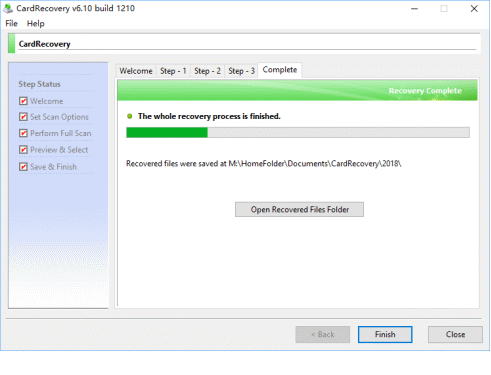
Complete - CardRecovery saves the recovered photos to the destination folder.
|
|
| |







