Recover Photos from a CF Card Using Card Recovery

A CF Card (Compact Flash Card) is a popular flash digital memory card. The capacities are usually from 128 MB to 64 GB. CF card has a larger size when compared with other memory card types such as SD, SmartMedia, MemoryStick, and xD Picture Card. But usually, it has a lower cost per MB and faster speed. Therefore, it is still widely used by digital cameras.
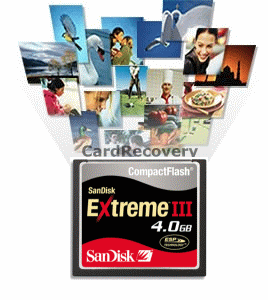
Due to accidental deletion, pressing the reformat button in camera, or various reasons of damage (e.g. low battery power, turning off on writing/reading), you may have lost your valuable pictures from a CF Card. Do not worry! In most cases, they are still recoverable. CardRecovery is a CF Card Recovery software to recover deleted, reformatted and damaged photos and movies from Compact Flash Card. It uses a wizard-style interface to allow you to easily recover picture and video files from a CF memory card. There are many CompactFlash card brands including SanDisk, Kingston, KingMax, Samsung, Canon etc. Each CF Card manufacturer may have different series. For example, SanDisk has a series of CF cards including Extreme I, II, III, IV, Ultra I, II and Standard. Card Recovery supports all CF Card brands and types on the market.
Click here to download CardRecovery
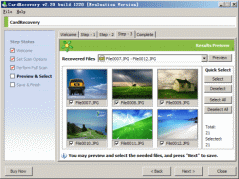 CardRecovery download is less than 1 MB and you may get it in less than two minutes.
Run the downloaded executable file and follow the instructions to install it to your computer. Then launch it from the Start Menu -> Programs -> CardRecovery. CardRecovery has three steps to complete the recovery. CardRecovery download is less than 1 MB and you may get it in less than two minutes.
Run the downloaded executable file and follow the instructions to install it to your computer. Then launch it from the Start Menu -> Programs -> CardRecovery. CardRecovery has three steps to complete the recovery.
- Step 1: Select your camera brand and file type to recover (photo/video/audio).
- Step 2: CardRecovery will scan your CF Card for lost files.
- Step 3: CardRecovery will display all the recovered pictures in thumbnails to allow you to select the desired pictures before saving.
Usually, in less than 10 minutes, you will get back all or most of your lost photos from the CF Card using the software. Using Card Recovery is safe because it performs read-only operations on your source card and it saves the recovered pictures to a destination folder you specify.
CF Card Recovery Tips:
1. For a damaged or file system corrupted CF Card, Windows may prompt you to format the CF Card when it attempts to read and access the card. Please ignore that message and do not format it before you recover the lost photos.
2. To avoid possibly overwriting, do not take more pictures on the same memory card before you recover them. But if you have done that, try CardRecovery and it may still be able to recover the remainder pictures in most cases, but the pictures that were written over are unrecoverable.
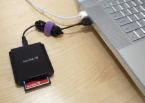 3. When you connect your digital camera to your computer, it may not appear as a drive letter in "My Computer", an external CF Card reader is needed. It will allow CardRecovery to access your memory card and recover the lost pictures. Some new desktops and laptops may already build in card reader. 3. When you connect your digital camera to your computer, it may not appear as a drive letter in "My Computer", an external CF Card reader is needed. It will allow CardRecovery to access your memory card and recover the lost pictures. Some new desktops and laptops may already build in card reader.
|







 CF Card Recovery - Tutorial